
Gekelo: The web, reinvented for your Mac
Gekelo, built by perfusion.dev, rethinks web apps on macOS with instant edge panels and local privacy, so you keep Safari or Chrome in control every day.


Services
Technologies
macOS productivity: pinned web apps, instantly available in one gesture
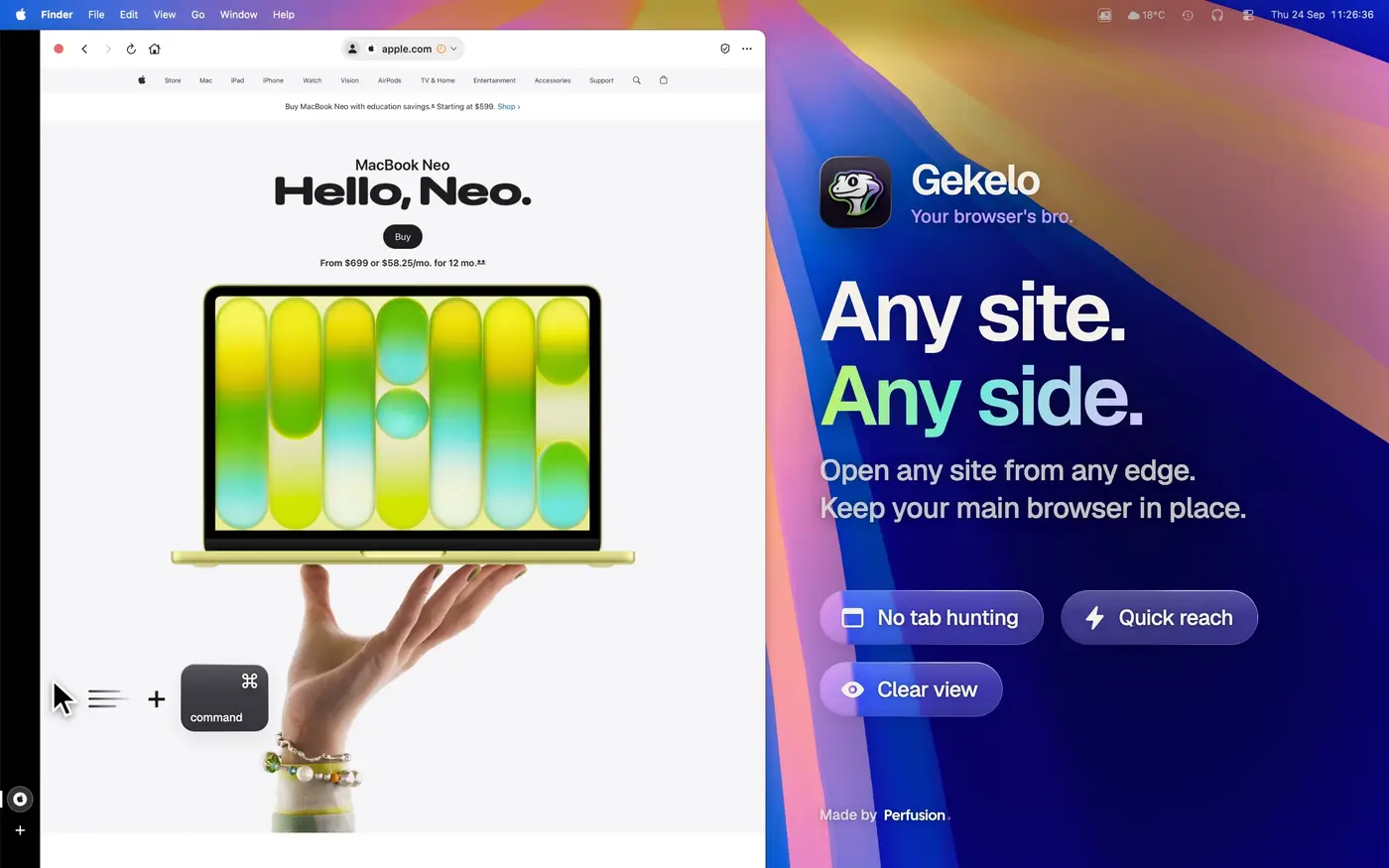
Gekelo is a macOS 14+ companion app built for people who live in web apps but do not want another browser tab to manage. It lets users pin their favorite services to the edge of the screen, then reveal them instantly with a simple gesture. Gekelo is distributed on the Mac App Store and is designed as a companion to Safari or Chrome, not as a replacement.
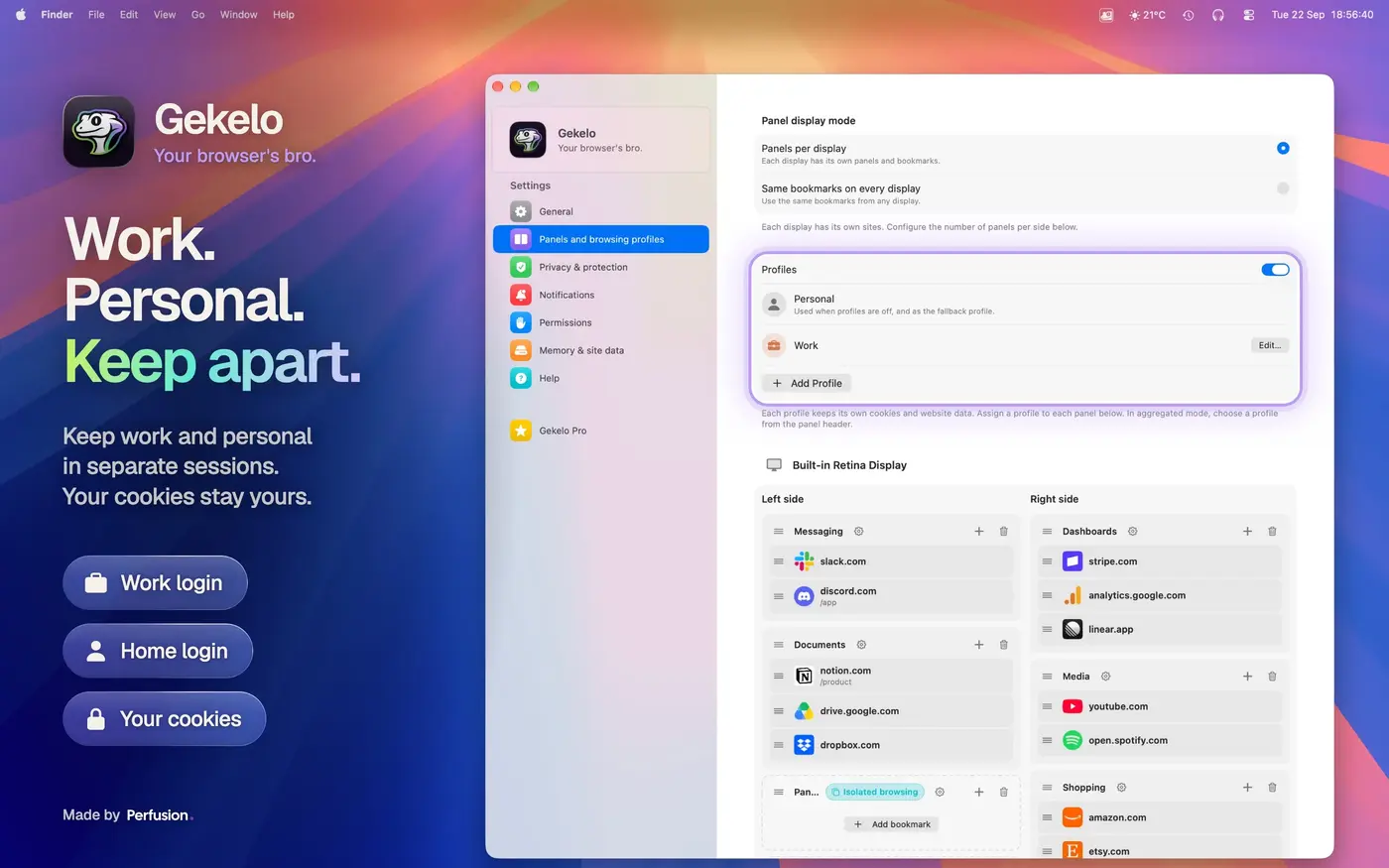
The product was built to reduce context switching in day-to-day work: work tools, personal tools, and client tools can all live in separate panels, grouped by context and opened only when needed. That keeps the desktop lightweight while still making critical apps immediately available.
Technical Challenge: Native Windowing, Browser Isolation, and Local-First Privacy
The core challenge was to combine native macOS behavior with web rendering without making the product feel like a browser shell. We used Swift, SwiftUI, AppKit, and WebKit together to handle windowing, panel presentation, and system integration while keeping the interaction fast and predictable across multiple displays and full-screen spaces.
Each panel runs with its own isolated browsing profile, so cookies and sessions stay separated by context. That matters for client work and for personal workflows, because one panel can stay authenticated while another remains clean. We also embedded the ad and tracker blocking lists locally, so navigation does not rely on server fetches.
Privacy was treated as a product requirement, not a marketing claim. Gekelo works with local data only, does not require a Gekelo account, does not include in-app analytics, and does not sell user data. Private panels can be protected with Touch ID through LocalAuthentication, which keeps the sensitive state on device.
Product Challenge: A Focused Tool That Still Feels Complete
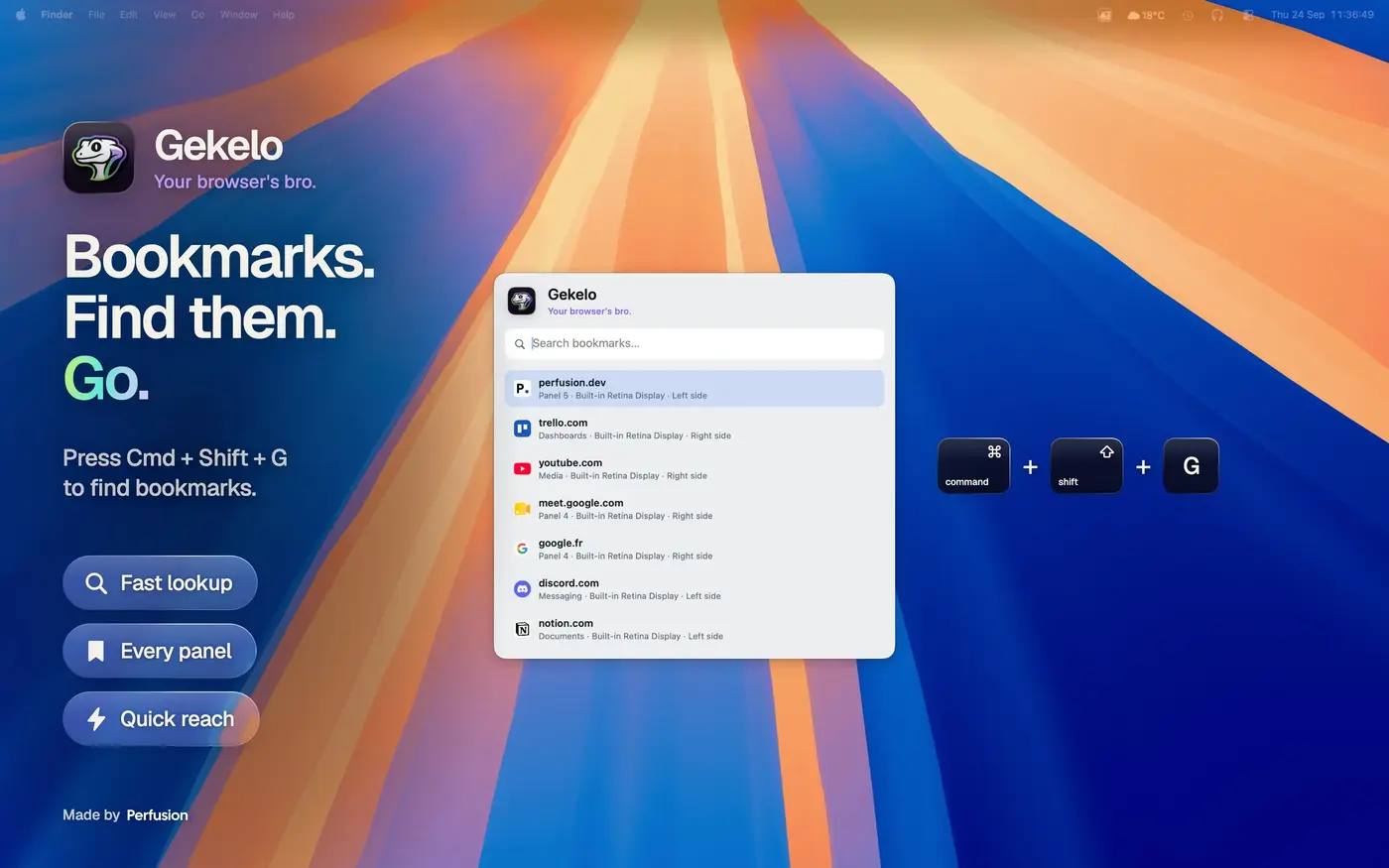
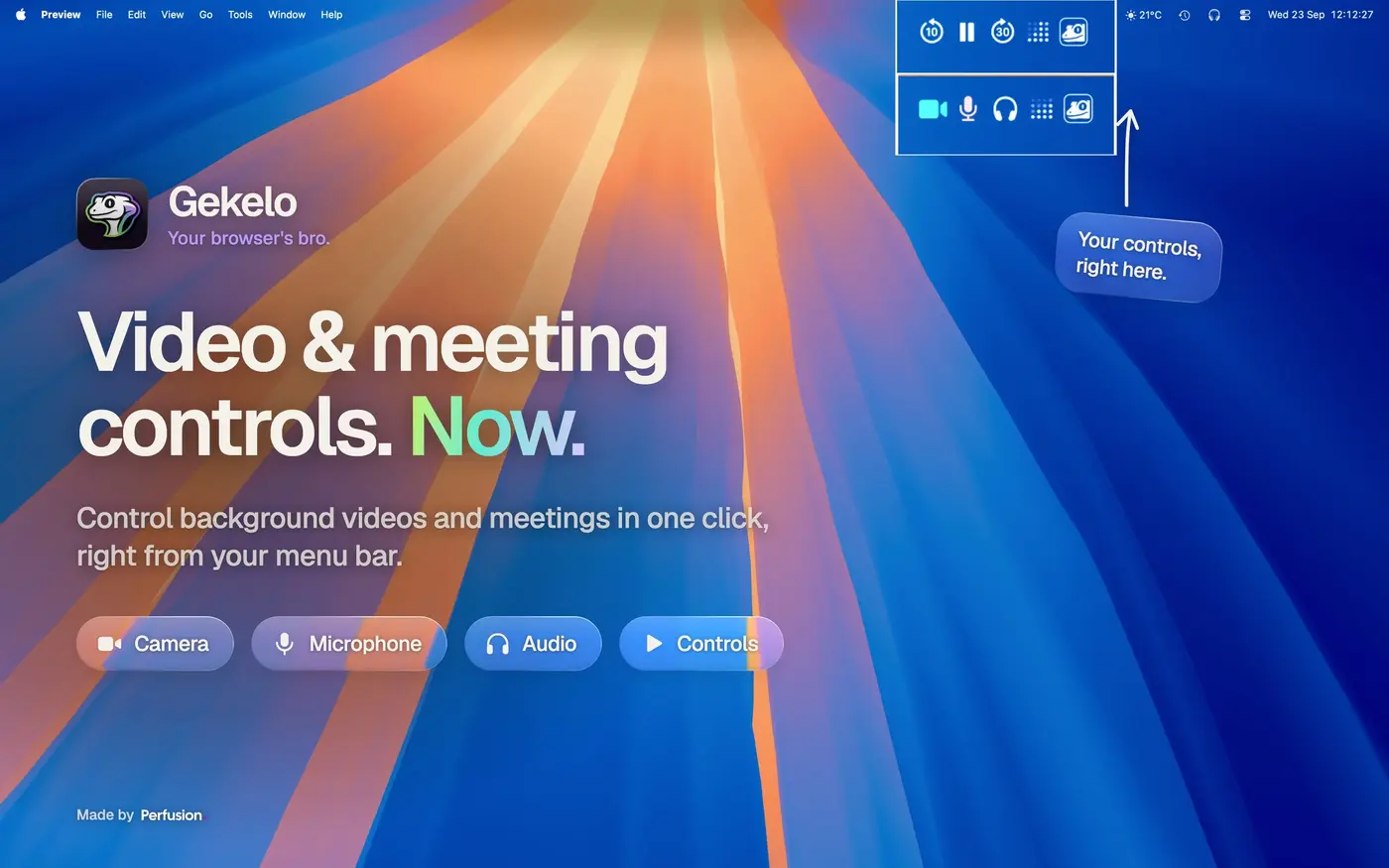
The business problem was not to build another general browser. It was to design a product that solves a narrow, repeated workflow well enough that users will pay for it. Gekelo supports that with clear context-based groups, menu bar media controls, and call controls for Meet and Discord directly from the menu bar, so the tool stays useful even when the main browser window is not active.
We also had to make the monetization model fit the product. Gekelo Pro is sold through StoreKit subscriptions on the Mac App Store, with monthly and annual plans and an optional 7-day trial. That keeps the purchase flow native and familiar, while also matching the distribution model expected by Mac users.
The result is a product that is intentionally narrow but complete: fast access to pinned web apps, local privacy controls, and a clear upgrade path, all packaged in a native desktop application rather than a web SaaS.
UX Challenge: Make a Single Gesture Feel Obvious Every Time
The UX problem was consistency. A screen-edge gesture only works if users can trust it in real conditions: on multiple monitors, in full-screen apps, and while moving quickly between tasks. Gekelo uses Cmd + cursor-to-edge as the main trigger, which makes the interaction immediate without asking users to hunt for a window or a launcher.
We kept the interface intentionally small and direct. The panel appears where attention already is, web apps stay grouped by intent, and the menu bar stays available for lightweight actions like playback and call state. That makes Gekelo feel like part of macOS rather than a separate layer imposed on top of it.
With Gekelo, we wanted to make the web more accessible on Mac. Fewer windows, fewer distractions, more fluidity. Your favorite apps are still there, accessible with a simple gesture.